Table of Contents
Intro
Decided to write about several things which in my opinion you should and shouldn’t do (or at least try to avoid) when using Kotlin coroutines.
Wrap async calls with coroutineScope or use SupervisorJob to handle exceptions
❌ If async block may throw exception don’t rely on wrapping it with try/catch block.
val job: Job = Job()
val scope = CoroutineScope(Dispatchers.Default + job)
// may throw Exception
fun doWork(): Deferred<String> = scope.async { ... }   // (1)
fun loadData() = scope.launch {
    try {
        doWork().await()                               // (2)
    } catch (e: Exception) { ... }
}
Unresolved reference: Job
Unresolved reference: Job
Unresolved reference: CoroutineScope
Unresolved reference: Dispatchers
Unresolved reference: Deferred
Expecting an element
Expecting an element
Unresolved reference: Job
Unresolved reference: CoroutineScope
Unresolved reference: Dispatchers
Unresolved reference: Deferred
Expecting an element
Expecting an element
In the example above doWork function launches new coroutine (1) which may throw an unhandled exception. If you try to wrap doWork with try/catch block (2) it will still crash.
This happens because the failure of any of the job’s children leads to an immediate failure of its parent.
✅ One way how you can avoid the crash is by using SupervisorJob (1).
This happens because the failure of any of the job’s children leads to an immediate failure of its parent.
✅ One way how you can avoid the crash is by using SupervisorJob (1).
A failure or cancellation of a child does not cause the supervisor job to fail and does not affect its other children.
val job = SupervisorJob()                               // (1)
val scope = CoroutineScope(Dispatchers.Default + job)

// may throw Exception
fun doWork(): Deferred<String> = scope.async { ... }

fun loadData() = scope.launch {
    try {
        doWork().await()
    } catch (e: Exception) { ... }
}
Unresolved reference: SupervisorJob
Unresolved reference: CoroutineScope
Unresolved reference: Dispatchers
Unresolved reference: Deferred
Expecting an element
Expecting an element
Unresolved reference: CoroutineScope
Unresolved reference: Dispatchers
Unresolved reference: Deferred
Expecting an element
Expecting an element
Note: this will work only if you explicitly run your async on coroutine scope with SupervisorJob. So the code below will still crash your application because async is launched in the scope of parent coroutine (1).
val job = SupervisorJob()
val scope = CoroutineScope(Dispatchers.Default + job)

fun loadData() = scope.launch {
    try {
        async {                                         // (1)
            // may throw Exception
        }.await()
    } catch (e: Exception) { ... }
}
Unresolved reference: SupervisorJob
Unresolved reference: CoroutineScope
Unresolved reference: Dispatchers
Unresolved reference: async
Expecting an element
Unresolved reference: CoroutineScope
Unresolved reference: Dispatchers
Unresolved reference: async
Expecting an element
✅ The other way how you can avoid the crash, which is preferable, is by wrapping async with coroutineScope (1). Now when the exception occurs inside async it will cancel all other coroutines created in this scope, without touching outer scope. (2)
val job = SupervisorJob()
val scope = CoroutineScope(Dispatchers.Default + job)

// may throw Exception
suspend fun doWork(): String = coroutineScope {     // (1)
    async { ... }.await()
}

fun loadData() = scope.launch {                       // (2)
    try {
        doWork()
    } catch (e: Exception) { ... }
}
Unresolved reference: SupervisorJob
Unresolved reference: CoroutineScope
Unresolved reference: Dispatchers
Unresolved reference: coroutineScope
Unresolved reference: async
Expecting an element
Suspend function 'doWork' should be called only from a coroutine or another suspend function
Expecting an element
Unresolved reference: CoroutineScope
Unresolved reference: Dispatchers
Unresolved reference: coroutineScope
Unresolved reference: async
Expecting an element
Suspend function 'doWork' should be called only from a coroutine or another suspend function
Expecting an element
Alternatively, you can handle exceptions inside the async block.
Prefer the Main dispatcher for root coroutine
❌ If you need to do a background work and update UI inside your root coroutine, don’t launch it with non-Main dispatcher.
val scope = CoroutineScope(Dispatchers.Default)          // (1)

fun login() = scope.launch {
    withContext(Dispatcher.Main) { view.showLoading() }  // (2)
    networkClient.login(...)
    withContext(Dispatcher.Main) { view.hideLoading() }  // (2)
}
Unresolved reference: CoroutineScope
Unresolved reference: Dispatchers
Unresolved reference: withContext
Unresolved reference: Dispatcher
Unresolved reference: view
Unresolved reference: networkClient
Expecting an expression
Expecting ')'
Unexpected tokens (use ';' to separate expressions on the same line)
Unresolved reference: withContext
Unresolved reference: Dispatcher
Unresolved reference: view
Unresolved reference: Dispatchers
Unresolved reference: withContext
Unresolved reference: Dispatcher
Unresolved reference: view
Unresolved reference: networkClient
Expecting an expression
Expecting ')'
Unexpected tokens (use ';' to separate expressions on the same line)
Unresolved reference: withContext
Unresolved reference: Dispatcher
Unresolved reference: view
In the example above we launch root coroutine using a scope with Default dispatcher (1). With this approach, every time when we need to touch user interface we have to switch context (2).
✅ In most cases, it’s preferable to create your scope with the Main dispatcher which results in simpler code and less explicit context switching.
✅ In most cases, it’s preferable to create your scope with the Main dispatcher which results in simpler code and less explicit context switching.
val scope = CoroutineScope(Dispatchers.Main)

fun login() = scope.launch {
    view.showLoading()
    withContext(Dispatcher.IO) { networkClient.login(...) }
    view.hideLoading()
}
Unresolved reference: CoroutineScope
Unresolved reference: Dispatchers
Unresolved reference: view
Unresolved reference: withContext
Unresolved reference: Dispatcher
Unresolved reference: networkClient
Expecting an expression
Expecting ')'
Unexpected tokens (use ';' to separate expressions on the same line)
Unresolved reference: view
Unresolved reference: Dispatchers
Unresolved reference: view
Unresolved reference: withContext
Unresolved reference: Dispatcher
Unresolved reference: networkClient
Expecting an expression
Expecting ')'
Unexpected tokens (use ';' to separate expressions on the same line)
Unresolved reference: view
Avoid usage of unnecessary async/await
❌ If you are using async function followed by immediate await you should stop doing this.
launch {
    val data = async(Dispatchers.Default) { /* code */ }.await()
}
Expecting a top level declaration
Expecting a top level declaration
Function declaration must have a name
Unresolved reference: async
Unresolved reference: Dispatchers
Expecting a top level declaration
Function declaration must have a name
Unresolved reference: async
Unresolved reference: Dispatchers
✅ If you want to switch coroutine context and immediately suspend parent coroutine withContext is a preferable way to do that.
llaunch {
    val data = withContext(Dispatchers.Default) { /* code */ }
}
Expecting a top level declaration
Expecting a top level declaration
Function declaration must have a name
Unresolved reference: withContext
Unresolved reference: Dispatchers
Expecting a top level declaration
Function declaration must have a name
Unresolved reference: withContext
Unresolved reference: Dispatchers
Performance wise it’s not a big concern (even thought async creates new coroutine to do the work) but semantically async implies that you want to start several coroutines in the background and only then await on them.
Avoid cancelling scope job
❌ If you need to cancel coroutine, don’t cancel scope job in the first place.
class WorkManager {
    val job = SupervisorJob()
    val scope = CoroutineScope(Dispatchers.Default + job)

    fun doWork1() {
        scope.launch { /* do work */ }
    }

    fun doWork2() {
        scope.launch { /* do work */ }
    }

    fun cancelAllWork() {
        job.cancel()
    }
}

fun main() {
    val workManager = WorkManager()

    workManager.doWork1()
    workManager.doWork2()
    workManager.cancelAllWork()
    workManager.doWork1() // (1)
}
Unresolved reference: SupervisorJob
Unresolved reference: CoroutineScope
Unresolved reference: Dispatchers
Unresolved reference: CoroutineScope
Unresolved reference: Dispatchers
The issue with the above code is that when we cancel job we put it into the completed state. Coroutines launched in a scope of the completed job will not be executed (1).
✅ When you want to cancel all coroutines of a specific scope, you can use cancelChildren function. Also, it’s a good practice to provide the possibility to cancel individual jobs (2).
✅ When you want to cancel all coroutines of a specific scope, you can use cancelChildren function. Also, it’s a good practice to provide the possibility to cancel individual jobs (2).
class WorkManager {
    val job = SupervisorJob()
    val scope = CoroutineScope(Dispatchers.Default + job)

    fun doWork1(): Job = scope.launch { /* do work */ } // (2)

    fun doWork2(): Job = scope.launch { /* do work */ } // (2)

    fun cancelAllWork() {
        scope.coroutineContext.cancelChildren()         // (1)
    }
}
fun main() {
    val workManager = WorkManager()

    workManager.doWork1()
    workManager.doWork2()
    workManager.cancelAllWork()
    workManager.doWork1()
}
Unresolved reference: SupervisorJob
Unresolved reference: CoroutineScope
Unresolved reference: Dispatchers
Unresolved reference: Job
Unresolved reference: Job
Unresolved reference: CoroutineScope
Unresolved reference: Dispatchers
Unresolved reference: Job
Unresolved reference: Job
Avoid writing suspend function with an implicit dispatcher
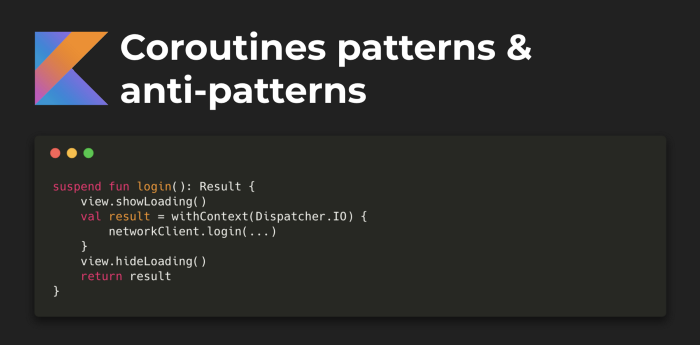
❌ Don’t write suspend function which relies on execution from specific coroutine dispatcher.
suspend fun login(): Result {
    view.showLoading()

    val result = withContext(Dispatcher.IO) {
        someBlockingCall()
    }
    view.hideLoading()

    return result
}
One type argument expected for class Result<out T>
Unresolved reference: view
Unresolved reference: withContext
Unresolved reference: Dispatcher
Unresolved reference: someBlockingCall
Unresolved reference: view
Unresolved reference: view
Unresolved reference: withContext
Unresolved reference: Dispatcher
Unresolved reference: someBlockingCall
Unresolved reference: view
In the example above login function is a suspend function which will crash if you execute it from coroutine which uses non-Main dispatcher.
launch(Dispatcher.Main) {     // (1) no crash
    val loginResult = login()
    ...
}

launch(Dispatcher.Default) {  // (2) cause crash
    val loginResult = login()
    ...
}
Expecting a top level declaration
Expecting a top level declaration
Expecting a top level declaration
Expecting a top level declaration
Expecting a top level declaration
Expecting a top level declaration
Expecting a top level declaration
Function declaration must have a name
Conflicting overloads: public fun <no name provided>(): Unit defined in root package in file File.kt, public fun <no name provided>(): Unit defined in root package in file File.kt
Unresolved reference: login
Expecting an element
Expecting a top level declaration
Expecting a top level declaration
Expecting a top level declaration
Expecting a top level declaration
Expecting a top level declaration
Expecting a top level declaration
Expecting a top level declaration
Function declaration must have a name
Conflicting overloads: public fun <no name provided>(): Unit defined in root package in file File.kt, public fun <no name provided>(): Unit defined in root package in file File.kt
Unresolved reference: login
Expecting an element
Expecting a top level declaration
Expecting a top level declaration
Expecting a top level declaration
Expecting a top level declaration
Expecting a top level declaration
Expecting a top level declaration
Function declaration must have a name
Conflicting overloads: public fun <no name provided>(): Unit defined in root package in file File.kt, public fun <no name provided>(): Unit defined in root package in file File.kt
Unresolved reference: login
Expecting an element
Expecting a top level declaration
Expecting a top level declaration
Expecting a top level declaration
Expecting a top level declaration
Expecting a top level declaration
Expecting a top level declaration
Expecting a top level declaration
Function declaration must have a name
Conflicting overloads: public fun <no name provided>(): Unit defined in root package in file File.kt, public fun <no name provided>(): Unit defined in root package in file File.kt
Unresolved reference: login
Expecting an element
CalledFromWrongThreadException: Only the original thread that created a view hierarchy can touch its views.
✅ Design your suspend function in a way that it can be executed from any coroutine dispatcher.
suspend fun login(): Result = withContext(Dispatcher.Main) {
    view.showLoading()

    val result = withContext(Dispatcher.IO) {
        someBlockingCall()
    }

    view.hideLoading()
	return result
}
One type argument expected for class Result<out T>
Unresolved reference: withContext
Unresolved reference: Dispatcher
Unresolved reference: view
Unresolved reference: withContext
Unresolved reference: Dispatcher
Unresolved reference: someBlockingCall
Unresolved reference: view
'return' is not allowed here
Unresolved reference: withContext
Unresolved reference: Dispatcher
Unresolved reference: view
Unresolved reference: withContext
Unresolved reference: Dispatcher
Unresolved reference: someBlockingCall
Unresolved reference: view
'return' is not allowed here
Now we can call our login function from any dispatcher.
launch(Dispatcher.Main) {     // (1) no crash
    val loginResult = login()
    ...
}

launch(Dispatcher.Default) {  // (2) no crash ether
    val loginResult = login()
    ...
}
Expecting a top level declaration
Expecting a top level declaration
Expecting a top level declaration
Expecting a top level declaration
Expecting a top level declaration
Expecting a top level declaration
Expecting a top level declaration
Function declaration must have a name
Conflicting overloads: public fun <no name provided>(): Unit defined in root package in file File.kt, public fun <no name provided>(): Unit defined in root package in file File.kt
Unresolved reference: login
Expecting an element
Expecting a top level declaration
Expecting a top level declaration
Expecting a top level declaration
Expecting a top level declaration
Expecting a top level declaration
Expecting a top level declaration
Expecting a top level declaration
Function declaration must have a name
Conflicting overloads: public fun <no name provided>(): Unit defined in root package in file File.kt, public fun <no name provided>(): Unit defined in root package in file File.kt
Unresolved reference: login
Expecting an element
Expecting a top level declaration
Expecting a top level declaration
Expecting a top level declaration
Expecting a top level declaration
Expecting a top level declaration
Expecting a top level declaration
Function declaration must have a name
Conflicting overloads: public fun <no name provided>(): Unit defined in root package in file File.kt, public fun <no name provided>(): Unit defined in root package in file File.kt
Unresolved reference: login
Expecting an element
Expecting a top level declaration
Expecting a top level declaration
Expecting a top level declaration
Expecting a top level declaration
Expecting a top level declaration
Expecting a top level declaration
Expecting a top level declaration
Function declaration must have a name
Conflicting overloads: public fun <no name provided>(): Unit defined in root package in file File.kt, public fun <no name provided>(): Unit defined in root package in file File.kt
Unresolved reference: login
Expecting an element
Avoid usage of global scope
❌ If you are using GlobalScope everywhere in your Android application you should stop doing this.
GlobalScope.launch {
    // code
}
Expecting a top level declaration
Expecting a top level declaration
Expecting a top level declaration
Expecting a top level declaration
Function declaration must have a name
Expecting a top level declaration
Expecting a top level declaration
Expecting a top level declaration
Function declaration must have a name
Global scope is used to launch top-level coroutines which are operating on the whole application lifetime and are not cancelled prematurely.
Application code usually should use application-defined CoroutineScope, using async or launch on the instance of GlobalScope is highly discouraged.
Application code usually should use application-defined CoroutineScope, using async or launch on the instance of GlobalScope is highly discouraged.
✅ In Android coroutine can be easily scoped to Activity, Fragment, View or ViewModel lifecycle.
class MainActivity : AppCompatActivity(), CoroutineScope {

    private val job = SupervisorJob()

    override val coroutineContext: CoroutineContext
        get() = Dispatchers.Main + job

    override fun onDestroy() {
        super.onDestroy()
        coroutineContext.cancelChildren()
    }

    fun loadData() = launch {
        // code
    }
}
Unresolved reference: AppCompatActivity
Unresolved reference: CoroutineScope
Unresolved reference: SupervisorJob
'coroutineContext' overrides nothing
Unresolved reference: CoroutineContext
Unresolved reference: Dispatchers
'onDestroy' overrides nothing
Unresolved reference: onDestroy
Unresolved reference: launch
Unresolved reference: CoroutineScope
Unresolved reference: SupervisorJob
'coroutineContext' overrides nothing
Unresolved reference: CoroutineContext
Unresolved reference: Dispatchers
'onDestroy' overrides nothing
Unresolved reference: onDestroy
Unresolved reference: launch
Special thanks: Andrey Mischenko, Louis CAD, Bradyn Poulsen, Tolriq, Dave A.
Источник: proandroiddev.com